

How to install a carton box printing machine?
Dec 09, 2025
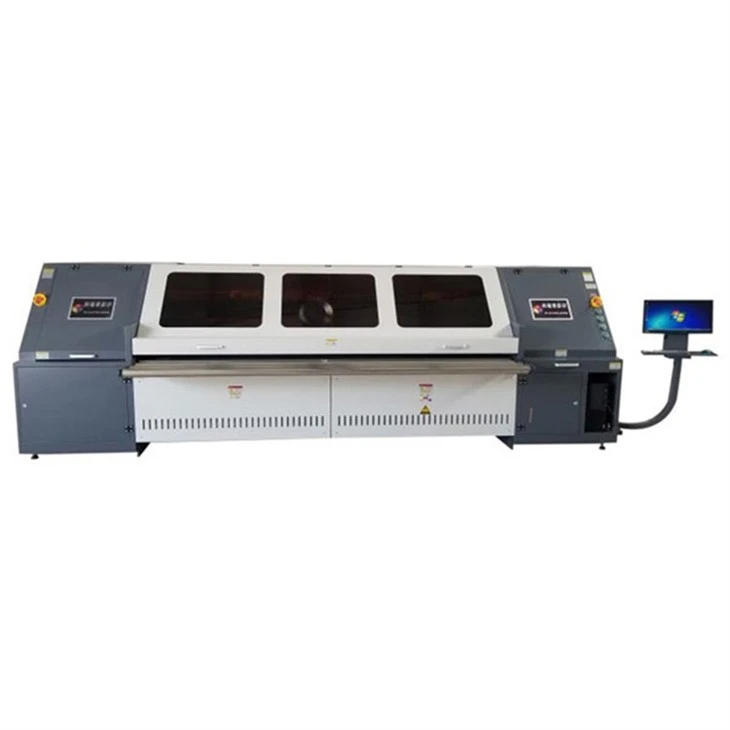
Installing a carton box printing machine is a crucial process that requires careful planning, technical expertise, and adherence to safety protocols. As a trusted supplier of Carton Box Printing Machines, I understand the intricacies involved in this installation process. In this blog, I will guide you through the steps of installing a carton box printing machine, highlighting the key considerations and best practices along the way.
Pre - installation Preparations
Before you even think about unpacking the printing machine, a series of pre - installation preparations are necessary.
Site Assessment
First and foremost, assess the site where the printing machine will be installed. The location should be spacious enough to accommodate the machine and allow for easy access around it for maintenance and operation. A general rule of thumb is to have at least an additional 2 - 3 meters of clearance on all sides of the machine. The floor must be flat and capable of supporting the weight of the machine. Carton box printing machines can be quite heavy, so ensure that the floor has the appropriate load - bearing capacity.
The site should also have proper ventilation. Printing processes often involve the use of inks and solvents that may emit fumes. Adequate ventilation helps to dissipate these fumes and maintain a safe working environment. Additionally, the area should have stable electrical supply with the correct voltage and frequency requirements as specified by the machine's manual.
Unpacking and Inspection
Once you have a suitable site, carefully unpack the printing machine. Inspect all the components for any damage that may have occurred during transit. Check for loose parts, scratches, or any visible signs of malfunction. Refer to the packing list provided by the supplier to ensure that all parts are present. If you find any damaged or missing parts, contact the supplier immediately. At this point, having a reliable supplier like us can make a huge difference. Our team is always ready to assist you in resolving any issues with the machine components.
Machine Assembly
The assembly of the carton box printing machine is a step - by - step process that should be followed precisely.
Base Installation
Begin by installing the base of the machine. The base provides the foundation for the entire printing unit. Make sure it is leveled accurately using a spirit level. Any inclination in the base can lead to misalignment of the subsequent components and affect the printing quality. Secure the base firmly to the floor using the appropriate bolts or anchors as recommended by the machine's manufacturer.
Installation of Printing Units
After the base is fixed, start installing the printing units. These units are where the actual printing process takes place. Carefully align each unit according to the markings and instructions provided. Connect the units using the specified connectors and ensure that all electrical and mechanical connections are tight and secure. The alignment of the printing units is crucial for achieving high - quality prints with consistent colors and registration.
Connecting the Ink System
The ink system is an integral part of the carton box printing machine. Connect the ink tanks, pumps, and hoses to the printing units. Follow the instructions to prime the ink system, which involves filling the system with ink and removing any air bubbles. Make sure that the ink flow is smooth and consistent throughout the system. Improper ink flow can result in uneven printing or ink streaks on the carton boxes.
Electrical and Control System Setup
The electrical and control system of the carton box printing machine is what allows you to operate and control the printing process.
Wiring Installation
Install the electrical wiring according to the wiring diagram provided in the machine's manual. Use high - quality cables and ensure that all connections are properly insulated to prevent electrical hazards. Connect the machine to the main power supply through a suitable circuit breaker or fuse box. This provides protection against electrical overloading and short - circuits.
Programming and Calibration
Once the wiring is complete, it's time to program and calibrate the control system. The control system allows you to set parameters such as printing speed, ink density, and registration. Follow the manufacturer's instructions to enter the correct values for these parameters. Calibration is essential to ensure that the machine prints accurately and consistently. You may need to perform test prints during the calibration process to fine - tune the settings.

Testing and Commissioning
After the installation, wiring, and calibration are complete, it's time to test the carton box printing machine.
Initial Checks
Before starting the full - scale operation, perform a series of initial checks. Check all the safety features of the machine, such as emergency stop buttons and safety guards, to ensure they are working properly. Inspect all moving parts to make sure there are no obstructions or loose components.
Test Runs
Conduct a test run of the machine using scrap carton boxes. Start the machine at a low speed and gradually increase it while monitoring the printing quality. Check for any issues such as misregistration, ink smudging, or mechanical noises. If you encounter any problems during the test run, stop the machine immediately and troubleshoot the issue.
Commissioning
Once the test runs are successful and the printing quality is satisfactory, the machine is ready for commissioning. Train your operators on how to use the machine safely and efficiently. Provide them with the necessary operating manuals and safety guidelines.
Maintenance and Support
Regular maintenance is essential to keep the carton box printing machine in optimal condition.
Preventive Maintenance
Develop a preventive maintenance schedule that includes tasks such as cleaning the machine, lubricating moving parts, and checking the ink system. Regular maintenance helps to prevent breakdowns and extends the lifespan of the machine.
Technical Support
As a supplier, we offer comprehensive technical support to our customers. Whether you have questions about the installation process, need assistance with troubleshooting, or require replacement parts, our team of experts is always available to help.
In conclusion, installing a carton box printing machine is a complex but rewarding process. By following the steps outlined in this blog and working with a reliable supplier, you can ensure a smooth installation and efficient operation of your machine. If you are interested in purchasing a Printing Machine for Carton Box, Mono Carton Printing Machine, or Corrugated Sheet Printing Machine, feel free to contact us for more information and to start a procurement discussion.
References
- Manufacturer's installation and operation manuals for carton box printing machines.
- Industry standards for workplace safety and electrical installations.